Cerebral palsy is the most common physical disability in childhood — and one of the most varied. Two people with the same diagnosis can have completely different strengths, challenges and needs. One person might have mild coordination differences and find certain fine motor tasks frustrating. Another might use a powered wheelchair, communicate through a device, and need support with most daily activities. Most people fall somewhere between these experiences.
What cerebral palsy has in common across its many forms is that it affects movement — muscles may be too tight, too weak, hard to control, or some combination of all three. But movement is just one part of life. CP doesn't affect intelligence, curiosity, ambition or the desire to connect with other people.
Assistive technology exists across every area of life affected by CP. Here's a guide to what's available — written plainly, without clinical language.
Communication
Some people with cerebral palsy have clear speech. Others have dysarthria — speech that's difficult for listeners to understand because the muscles involved in speaking are affected. And some people don't use speech as their primary way of communicating.
Augmentative and Alternative Communication (AAC) covers everything from picture boards to sophisticated speech-generating devices. AAC isn't a last resort — it's a tool that lets people communicate in the way that works best for them.
Apps like Proloquo2Go and TouchChat HD turn an iPad into a voice output device. You tap symbols or words and the app speaks for you — with a voice you can customise. These apps are used by children and adults, at home and in school, and can grow with the person as their vocabulary and needs develop.
For people with good literacy, word prediction apps and text-to-speech software mean typing a few letters is enough to build a sentence, and the phone or computer reads it aloud. This can be dramatically faster than typing full words.
Eye gaze technology — used by people who have very limited hand function — tracks eye movement to control a screen. The Tobii Dynavox range is the most well-known, and modern eye gaze systems are remarkably accurate. Someone who can't move their hands reliably can write messages, control their computer, and make choices through eye movement alone.
Mobility and Positioning
Getting around independently makes an enormous difference to quality of life, social participation and self-determination.
Manual wheelchairs suit people who can self-propel or who will be pushed by others. They range from basic transport chairs to lightweight, custom-fitted chairs designed for active use.
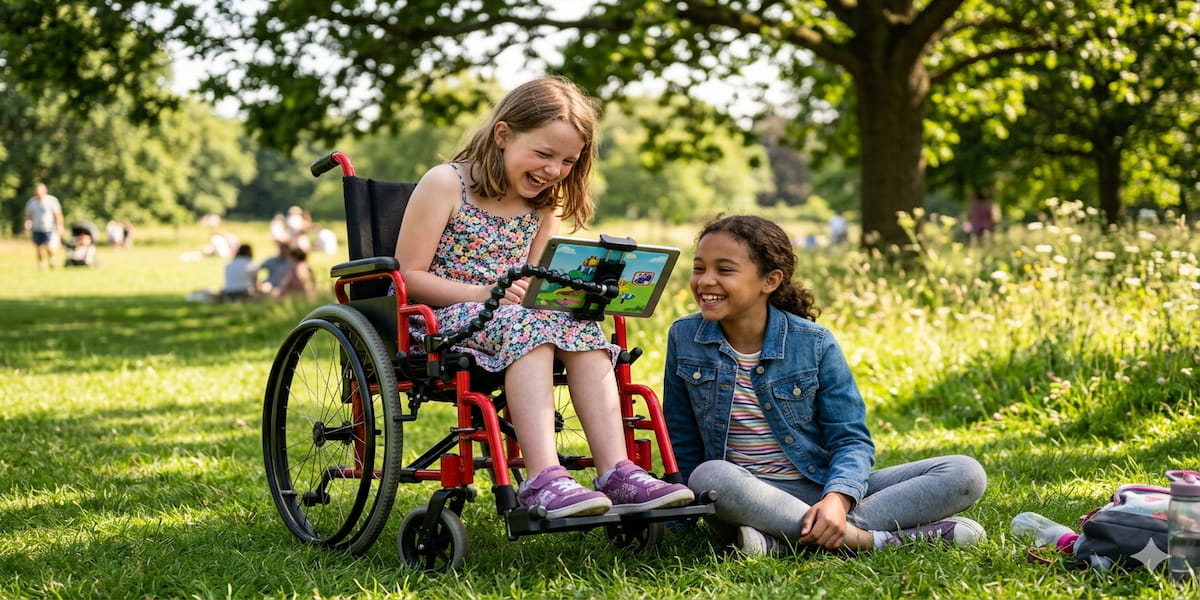
Powered wheelchairs give independent mobility to people who can't reliably self-propel. Control can be via joystick, head switch, breath control, or eye gaze — depending on what movement the person has available. Modern powered chairs are fast, manoeuvrable and can be fitted with tilt-in-space and recline features for comfort and pressure management.
Standing frames and supportive seating — prescribed by a physiotherapist or OT — help people who spend time in wheelchairs maintain bone density, improve circulation, and be at eye level with others. This last point is underrated; being able to talk face to face, not face to lap, changes the social dynamic entirely.
Adaptive prams and buggies for younger children with CP allow safe, comfortable transport while supporting the child's positioning needs — often with headrests, trunk supports and harnesses fitted by a seating specialist.
Daily Living and Independence
Everyday tasks — eating, drinking, getting dressed, using a bathroom — can require adapted equipment for people with limited hand function, tremor or coordination differences.
Weighted cutlery and non-slip plates and bowls make mealtimes less physically demanding and messier. Angled cutlery, easy-grip handles and plate guards (a rim that stops food being pushed off the plate) are simple, inexpensive tools that make independent eating more achievable.
Adaptive clothing — including garments with velcro fastenings, magnetic buttons, elasticated waistbands and open-back designs — makes dressing easier and faster. Brands like Tommy Hilfiger Adaptive and Zwear have made fashionable adaptive clothing more widely available.
Smart home technology is genuinely empowering for people with physical disability. Voice-controlled lights, plugs, thermostats and door locks (via Amazon Echo, Google Home or Apple HomeKit) mean less reliance on others for basic home control. For someone who uses a powered wheelchair, being able to say "turn off the light" rather than asking someone else to do it is a real shift in independence.
Environmental control systems go further — allowing a person to control almost anything in their home (TV, phone calls, door entry) from a single device operated by whatever movement or switch access they have available.
Learning and Education
Children with CP deserve every opportunity in the classroom. The right AT can level the playing field significantly.
Switch access software allows a child to control a computer using a large switch (a button they can press with whatever reliable movement they have — a knee, a foot, the side of their hand). Scanning software moves a cursor around the screen, and the child activates it at the right moment. This takes practice but opens up the full range of computer-based learning.
iPad apps with large targets, simplified interfaces and voice output are widely used in classrooms. Apps like Seesaw allow participation in class activities digitally, reducing barriers for children who can't handwrite quickly or reliably. Specialised keyboards — including keyguards (a grid placed over the keyboard to prevent accidental key presses), large-key keyboards, and on-screen keyboards — help children who want to type but find standard keyboards difficult to control.
Alternative pencils and writing tools include weighted pens, triangular grip pencils, and adapted holders that make gripping easier. For children who genuinely can't write, voice-to-text or switch access typing are the alternatives.
Sport and Leisure
Cerebral palsy doesn't have to mean missing out on sport, creativity or adventure.
Wheelchair sport equipment — including sports wheelchairs for basketball, racing chairs for athletics, and adapted frames for tennis and rugby — is available for people of all ages. Many national disability sport organisations run programmes for children as young as five.
Adaptive surfboards, kayaks, bikes and skiing equipment mean outdoor adventure is accessible too. Organisations like AmpSurf (adaptive surfing) run programmes specifically designed to get people with physical disabilities into the water.
For creativity, apps like GarageBand (for music), Procreate with a stylus mounted on an adaptive holder, or photography with a switch-operated camera shutter, open up artistic expression for people with limited hand function.
Getting Support
An occupational therapist is the first port of call for most AT decisions in CP. A good OT will know the full range of available equipment, can trial things with you before committing, and can write the documentation needed for funding.
A physiotherapist works alongside the OT — particularly for mobility, positioning and seating decisions. A speech pathologist is the specialist for communication AT.
AT decisions are not once-and-done. As a person with CP grows, changes environments (primary school to secondary, secondary to work or university, living at home to living independently), their AT needs change too. Regular reviews with your support team are important.
This article is for general information. Assistive technology should always be assessed and fitted by qualified professionals. Explore CP-related tools on Eazilee by searching for the specific challenge or activity you're interested in.